
My Prostate Cancer Coach1.0.0.12 - Google Play
You'll be able to see results in few seconds.
Publisher Description


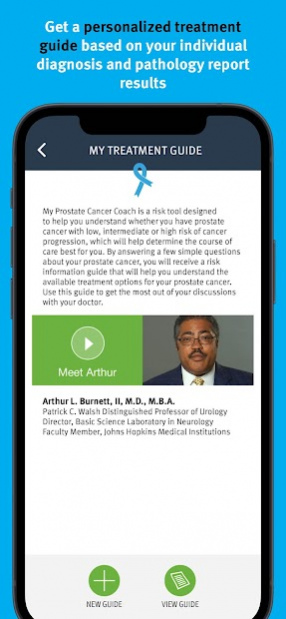

My Prostate Cancer Coach provides information about personalized cancer treatments to help manage your cancer care. Questions about your stage of cancer? Should you get surgery? Is radiation necessary? Do you need chemotherapy? Is your cancer metastatic? My Prostate Cancer Coach provides easy-to-understand treatment information for prostate cancer patients and their caregivers.
Features:
- Questionnaire and personalized treatment guide
- Questions to ask your doctor
- Videos and other helpful resources such as links to patient advocacy websites
- Easy-to-update journal with photo and audio-recording entry options
- Calendar to help keep track of doctor appointments, support group meetings, and other important dates
- Glossary of common terms
App Does Not Provide Medical Advice. The contents of this app are for informational purposes only and not intended to be a substitute for professional medical advice, diagnosis, or treatment. Always seek the advice of your physician or other qualified health provider with any questions you may have regarding a medical condition. Do not disregard professional medical advice or delay in seeking it because of something you have read on this site. This app does not recommend or endorse any specific tests, physicians, products, procedures, opinions, or other information that may be mentioned on the site. Reliance on any information provided on this app is solely at your own risk.
About My Prostate Cancer Coach
The company that develops My Prostate Cancer Coach is Genomic Health, Inc.. The latest version released by its developer is 1.0.0.12.
To install My Prostate Cancer Coach on your Android device, just click the green Continue To App button above to start the installation process. The app is listed on our website since 2021-08-17 and was downloaded 0 times. We have already checked if the download link is safe, however for your own protection we recommend that you scan the downloaded app with your antivirus. Your antivirus may detect the My Prostate Cancer Coach as malware if the download link to com.genomichealth.myprostatecancercoach is broken.
How to install My Prostate Cancer Coach on your Android device:
- Click on the Continue To App button on our website. This will redirect you to Google Play.
- Once the My Prostate Cancer Coach is shown in the Google Play listing of your Android device, you can start its download and installation. Tap on the Install button located below the search bar and to the right of the app icon.
- A pop-up window with the permissions required by My Prostate Cancer Coach will be shown. Click on Accept to continue the process.
- My Prostate Cancer Coach will be downloaded onto your device, displaying a progress. Once the download completes, the installation will start and you'll get a notification after the installation is finished.
Program Details
System requirements
Download information
Pricing
Version History
version 1.0.0.12
posted on 2021-08-17
Disclaimer
Official Google Play Link
We do not host My Prostate Cancer Coach on our servers. We did not scan it for viruses, adware, spyware or other type of malware. This app is hosted by Google and passed their terms and conditions to be listed there. We recommend caution when installing it.
The Google Play link for My Prostate Cancer Coach is provided to you by apps112.com without any warranties, representations or guarantees of any kind, so access it at your own risk.
If you have questions regarding this particular app contact the publisher directly. For questions about the functionalities of apps112.com contact us.
